
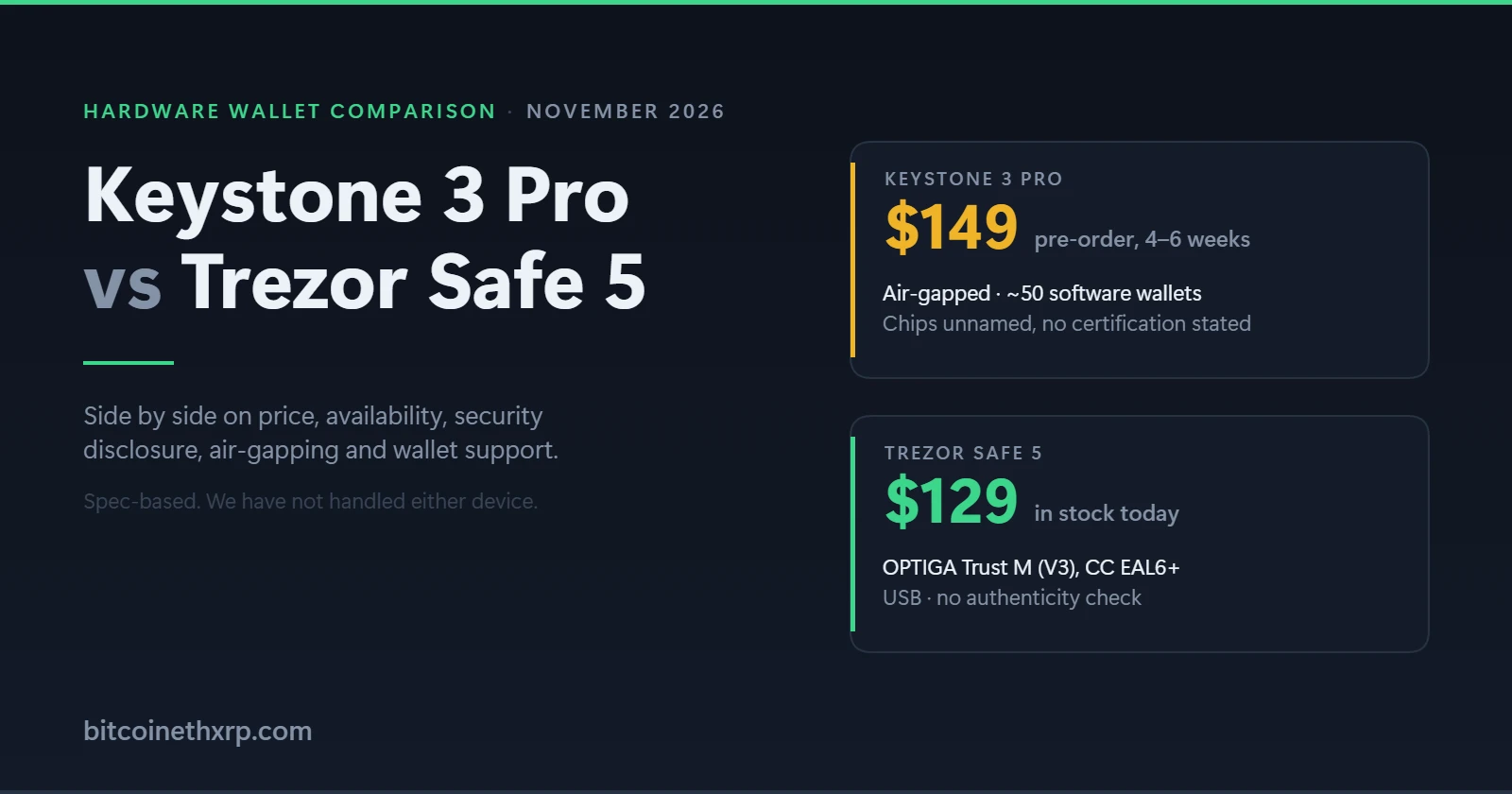
Keystone 3 Pro vs Trezor Safe 5 is the comparison people actually search for before buying an air-gapped wallet, and the honest answer is that these two devices are not really competing for the same buyer. One is cheaper, available today, and tells you exactly what is inside it. The other never touches your computer, works with far more software wallets, and is the only one of the two that lets you prove your device is genuine. Here is how they differ on each thing that matters.
Verdict: which one should you buy?
Buy the Trezor Safe 5 ($129) if you want the safer purchase. It costs $20 less, ships today, names its secure element and its certification, and does everything most people need. It is the default recommendation.
Buy the Keystone 3 Pro ($149) if air-gapping is the point. It never connects to your computer, supports around fifty software wallets to Trezor’s handful, and ships with the best authenticity-verification tool in the category. You will wait four to six weeks, and you will not be told what chips are inside it.
Buy neither yet if you need a wallet this week and want air-gapping. The Keystone is pre-order only following its October 2026 breach. The Blockstream Jade Plus at $149 is air-gapped and in stock, but it is Bitcoin-only.
Keystone 3 Pro vs Trezor Safe 5: side by side
| Keystone 3 Pro | Trezor Safe 5 | |
|---|---|---|
| Price | $149 | $129 |
| Availability | Pre-order, 4–6 weeks | In stock |
| Secure element | Three chips, not named, no certification stated | OPTIGA Trust M (V3), CC EAL6+ |
| Air-gapped | Yes — no Bluetooth, NFC or WiFi | No — USB |
| Screen | 4-inch touchscreen, 480 × 800 | 1.54-inch colour touchscreen |
| Biometrics | Fingerprint unlock and signing | None |
| Battery | 1000 mAh | None — powered over USB |
| Software wallets | ~50, MetaMask official partner | Trezor Suite, plus some third-party |
| Backup | BIP39, 3 seed phrases, passphrase, 20-word Shamir | BIP39, passphrase, Multi-share Backup |
| Open source | Firmware, schematics and BOM published | Firmware open source |
| Verify it’s genuine | Yes — Device Verification tool | No documented procedure |
| Wrong-PIN wipe | Not stated | Wipes after 16 wrong PINs |
| 2026 security event | October breach, authentication key stolen | Reseller shipped a device with an implant |
Trezor prices read at Trezor’s comparison page on 30 October 2026; Keystone prices and availability at Keystone’s store, re-checked 5 November 2026.
Price and availability: the difference that decides it today
The Trezor Safe 5 is $129 and ships now. The Keystone 3 Pro is $149 and is pre-order only, with Keystone’s own store quoting four to six weeks. That is a $20 premium and a month-plus wait for the Keystone.
The wait is not a manufacturing hiccup. Keystone suspended shipments after its October 2026 breach and destroyed 18,835 inventory devices rather than ship units whose authenticity could not be guaranteed. That is the right call, and it is why the device is on pre-order — but it is still a wait.
Budget two extras for the Keystone that the Trezor does not need: a microSD card, which is not in the box, and the variant pricing if you want one bundled at $170.60. Keystone Care+ runs $199 for two years or $249 for three.
Security: Trezor tells you what is inside, Keystone does not
This is the clearest difference between them and the one most comparisons skip.
Trezor names its secure element: the OPTIGA Trust M (V3), certified to Common Criteria EAL6+, and available without an NDA so independent researchers can examine it. The Safe 5 also wipes itself after sixteen wrong PIN attempts.
Keystone markets “3 Element Chips” and, across its homepage, product page, firmware page, authentication page and open-source page, names none of them and states no certification level. No part number, no manufacturer, no EAL rating. Keystone does publish a blog post about the triple-chip design, so a determined reader can go further — but the pages a buyer compares devices on give three unnamed chips.
Be clear what this is: a disclosure gap, not evidence of weak hardware. There is no reason to think Keystone’s chips are bad. But if you are choosing between two devices and one hands you a part number and a certificate level while the other does not, that asymmetry is real and it favours the Trezor.
Air-gapping: the Keystone’s genuine advantage
The Trezor Safe 5 connects to your computer over USB. The Keystone 3 Pro never does — it has no Bluetooth, no NFC and no WiFi, and its USB-C port is used for charging and firmware updates rather than signing. Transactions move across the gap instead.
That removes a whole category of attack. A compromised computer cannot talk to a device it has no channel to. The cost is friction on every transaction, and a device you have to keep charged.
Worth noting for accuracy: Keystone’s own pages describe “air-gapped transaction signing” and an “Air-Gapped Mode” but never actually document the mechanism. The only description of QR-code and microSD signing on keyst.one is a quoted third-party review. The air gap is real; the documentation of it is not.
If your wallet is long-term savings you touch rarely, air-gapping is worth the friction. If you transact weekly, a USB device you use correctly beats an air-gapped one you find too annoying to use.
Software wallets: Keystone wins this outright
If you actually use DeFi rather than only holding coins, this may matter more than anything else on the page.
Keystone’s supported wallets page lists around fifty software wallets, including MetaMask — where Keystone is listed as an official partner — plus Rabby, Sparrow, Nunchuk, BlueWallet, Keplr, Solflare, Backpack, Xverse and Safe. It claims 5,500+ assets across 200+ blockchains, and offers three firmware builds: multi-coin, Bitcoin-only, and a Cypherpunk build covering Bitcoin, Zcash and Monero.
Trezor works through Trezor Suite and a smaller set of third-party integrations. It is perfectly good for holding and for straightforward sending, and weaker if you want to sign across many chains and dApps.
One caveat on Keystone’s numbers: the wallet count is stated three different ways on its own site — “45+” in a headline, fifty rows in the table beneath it, and “100+ leading Web3 wallets” on the homepage. The support is genuinely broad; the counting is loose.
Backup and recovery
Both use BIP39, so a seed from either restores on any compatible wallet and you are not locked in. Both support a passphrase.
The Keystone goes further in two ways. It holds up to three separate seed phrases on one device, switchable by password or fingerprint, which gives you genuinely separate wallets rather than one wallet with a passphrase attached. It also supports 20-word Shamir Backup, splitting a seed into shares so no single written copy can lose or leak everything.
Trezor offers Multi-share Backup on the Safe 5, which covers the same Shamir-style need. The multi-seed capability is Keystone’s alone.
Neither ships a metal backup. For any balance worth protecting, buy one — a steel plate costs far less than the loss it prevents.
Can you prove the device is genuine? Only one of them
A hardware wallet cannot protect you from a device that was interfered with before it reached you. Both companies had a 2026 reminder of that.
Keystone publishes a Device Verification tool: you scan a QR code on its page with the device, enter the code the device displays, and it confirms whether the unit is genuine. Keystone describes it as using a cryptographic signature mechanism, and its guidance if the check fails is blunt — stop using the device and contact support. It is the most complete authenticity check any hardware-wallet maker currently offers.
Trezor publishes no equivalent procedure. It relies on its setup software to flag a problem. When we compared the best hardware wallets across nine makers, only four published a check a buyer could actually run, and Trezor was not one of them.
There is an irony here worth stating. The very thing Keystone does best is what its October breach compromised: attackers stole the WebAuth device authentication key that powers that check. Keystone has since moved to a replacement key.
The 2026 security record of both
Keystone, October 2026. An attacker reached Keystone’s website through a flaw in a third-party monitoring tool and stole the device authentication key. It plays no part in generating seeds, deriving keys or signing, so existing wallets were not directly exposed — the risk is a counterfeit device passing an authenticity check. Keystone destroyed 18,835 devices, moved to a replacement key, suspended shipments and cut shipping-data retention to 90 days. A list of 25,964 buyer records including names and addresses was also exposed. Our full write-up explains why that address list deserves more attention than the destroyed devices.
Trezor, October 2026. A device bought from the reseller CryptoBilis was found to contain an implant. The uncomfortable detail is that CryptoBilis was a listed reseller at the time, which is why “buy from an authorised retailer” is no longer sufficient advice. Our guide to Trezor’s safety record covers what that means in practice.
Neither event is a reason to rule out either device. Both are reasons to buy direct from the manufacturer and, where a verification tool exists, to use it before funding the wallet.
Screen, size and living with them
The Keystone is closer to a small phone: a 4-inch 480 × 800 touchscreen, a fingerprint reader, a 1000 mAh battery, 103 grams. The Trezor Safe 5 has a 1.54-inch colour touchscreen and no battery, drawing power over USB.
The bigger screen is a genuine security feature, not a luxury. Confirming an address on-device is the whole point of a hardware wallet, and it is easier to actually read a long address on four inches than on one and a half. The trade is pocketability and one more thing to charge.
Who should buy which
Most people should buy the Trezor Safe 5. It is cheaper, available now, its security claims are checkable, and it covers the core job — keys off your computer, transactions confirmed on a screen you control. Read our full Trezor Safe 5 review, or check the current price at Trezor.
Buy the Keystone 3 Pro if you want true air-gapping, you sign across many chains through MetaMask, Rabby, Sparrow or Keplr, you want multiple seeds on one device, or you specifically value being able to verify the device is genuine. Our full Keystone 3 Pro review goes deeper on all of it.
Consider something else if you hold only Bitcoin — the Coldcard Q at $319 or the Blockstream Jade Plus at $149 are both stronger for that, and both are air-gapped. The full field roundup covers fifteen models.
How we compared these, and our affiliate position
We have not handled either device, and we do not claim to have. This comparison is built from each manufacturer’s own technical pages, store listings and firmware documentation, read and dated, plus published security research and reporting on both 2026 incidents.
A disclosure that matters on this page in particular. We earn a commission if you buy a Trezor through our link. We earn nothing if you buy a Keystone, because we have deliberately not placed an affiliate link on it while its maker has no breach notice on its store and no published post-breach audit.
That asymmetry is uncomfortable on a page that recommends the Trezor to most readers, so we are stating it plainly rather than burying it. The reasoning for the recommendation is in the sections above and stands on price, availability and disclosed certification — all of which you can check yourself. If air-gapping or wallet support matters more to you, buy the Keystone; we would rather you bought the right device than the one we are paid for. Our methodology page explains how we research and review.
Frequently asked questions
Is the Keystone 3 Pro better than the Trezor Safe 5?
It is better on air-gapping, software-wallet support, screen size and device verification. The Trezor Safe 5 is better on price, availability and disclosed security certification. For most buyers the Trezor Safe 5 is the right choice; for anyone who specifically wants air-gapped signing across many chains, the Keystone is.
Which is more secure, the Keystone 3 Pro or the Trezor Safe 5?
Neither has a demonstrated weakness. The Keystone is air-gapped, which removes an entire attack surface, and it is the only one of the two that lets you verify your device is genuine. The Trezor names its secure element and its CC EAL6+ certification, while Keystone names neither — so Trezor’s security is more checkable, even if Keystone’s architecture is arguably more isolated.
Why is the Keystone 3 Pro on pre-order?
Keystone suspended shipments after an October 2026 breach in which an attacker stole the device authentication key, and destroyed 18,835 inventory devices rather than ship units whose authenticity it could not guarantee. Its store quotes four to six weeks.
Is the Keystone 3 Pro worth $20 more than the Trezor Safe 5?
Only if you want what the extra $20 buys: air-gapping, a 4-inch touchscreen, fingerprint unlock, around fifty supported software wallets and a working authenticity check. If none of those matter to you, the Trezor Safe 5 does the core job for less and ships today.
Do both work with MetaMask?
Keystone lists MetaMask as an official partner and supports roughly fifty software wallets in total. Trezor works primarily through Trezor Suite with a narrower set of third-party integrations. For multi-chain DeFi use, Keystone is the stronger choice.
Can I verify either device is genuine before using it?
Keystone yes, Trezor no. Keystone publishes a Device Verification tool that confirms the unit is theirs. Trezor publishes no equivalent user-run procedure and relies on its setup software to flag problems. With either, buy direct from the manufacturer rather than a reseller.

Bernard Mudafort is the founder and lead writer of bitcoinethxrp.com. He has been active in DeFi since 2018 and has personally tested yield farming strategies on Aave, Curve, Uniswap, and Arbitrum, focusing on sustainable, risk-managed approaches to crypto passive income.